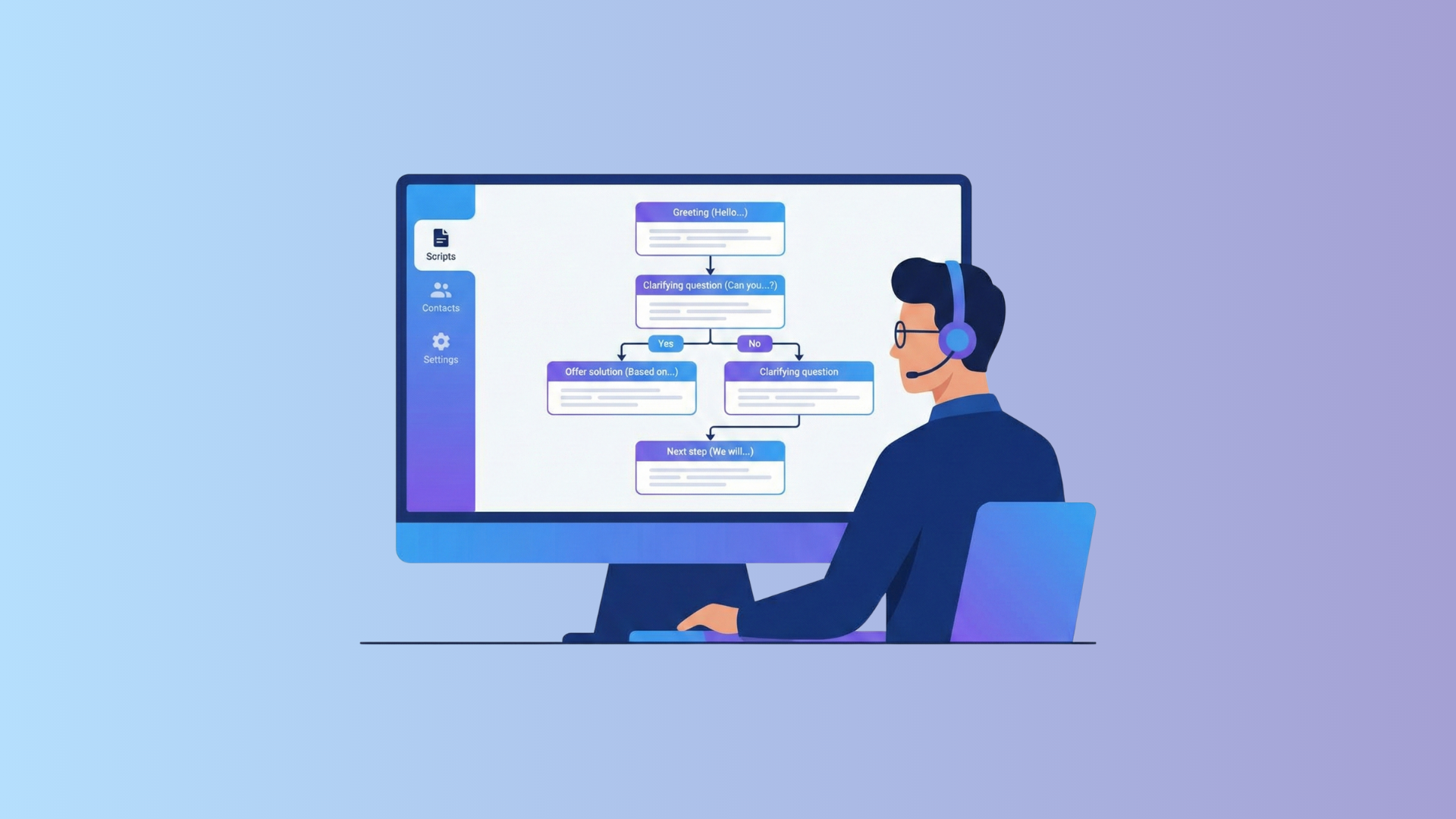
Let’s imagine: a manager picks up the phone, dials the number, and suddenly realizes they don’t know how to start. The pause drags on, the words disappear, and the conversation goes completely off track. That’s exactly why a client conversation script exists.
But let’s clear up one myth right away: a script is not a text to be read in a monotone voice. It’s a well-thought-out scenario that gives the manager confidence and a clear structure, while still leaving room for a natural, human conversation. And the difference between these two approaches is enormous.
In this article, we break down what an effective client conversation template looks like, share ready-to-use examples for different situations, and explain why even the best product loses without a well-designed conversation scenario.
What Is a Client Conversation Script and Why It’s Hard Without One
A script is essentially a dialogue plan. It answers the questions: how to start the conversation, what to ask, how to handle objections, and how to close. It sounds simple, but in practice, the lack of such a plan regularly costs companies deals.
Here’s what a well-designed client conversation script provides:
Speed. The manager doesn’t hesitate about what to say next — they confidently guide the conversation where it needs to go.
Consistency. All clients receive the same quality of service, regardless of whether they’re speaking with an experienced specialist or a newcomer in their second week.
Fewer mistakes. A script helps avoid forgetting important points, saying too much, or getting stuck in an awkward pause.
At the same time, a good conversation scenario is not a cage. It provides support without turning a person into an answering machine.
How to Create a Client Conversation Template That Actually Works
Before moving on to ready-made examples, it’s important to understand the internal logic. Once you do, you’ll be able to adapt any script to your product.
1. Start With the Goal, Not the Words
Ask yourself: what should happen at the end of this conversation? Should the client agree to a demo, confirm a meeting, leave a request, or simply get an answer to their question? Without a clear goal, a script turns into a collection of nice phrases that lead nowhere.
2. Write for a Specific Person
Someone hearing about your product for the first time and someone comparing you with two competitors require completely different conversations. A client conversation template is always tied to context: who this person is, where they are in the funnel, and what truly matters to them.
3. The First Seconds Decide Everything
The first 10–15 seconds are when the client decides whether it’s worth listening further. That’s why the introduction must be clear and warm — and avoid phrases like “I won’t take much of your time,” because that line hasn’t saved anyone in years.
4. Ask More Than You Talk
“Yes” or “no” is not what you need. Open-ended questions reveal the client’s real needs and provide material for a meaningful conversation.
“How are you currently solving this task?” is far more valuable than another minute of monologue about product features.
5. Talk About the Problem, Not the Features
Clients honestly don’t care how many integrations you have. They care about one thing: will your product solve their specific pain point? Show this through real examples — “our clients in a similar situation achieved this result” works better than any list of features.
6. Always End With a Specific Next Step
“I’ll send you some information” is not a next step — it’s a polite way to end a conversation without results. A real next step sounds different:
“Let’s schedule a call for Thursday at 3:00 PM — does that time work for you?”
Script Examples for Different Situations
Below are four ready-to-use script examples for the most common types of conversations.
Script for an Incoming Call
If the client called you, that’s already a good sign. They’re interested but not yet decided. The manager’s task is to quickly understand the need and guide the conversation in the right direction while the interest is still hot.
Introduction:
“Good afternoon, [Company Name], this is [Name] speaking. How can I help you?”
Needs Assessment:
“Could you tell me what exactly you’re interested in? I’ll help you choose the best option for your situation.”
“Do you have any specific requirements or preferences that are important to consider?”
Presentation:
“For your situation, the best fit would be [solution]. It allows you to [key benefit]. Our clients in similar conditions achieved [result] within the first month of working with us.”
Call to Action:
“I can send you detailed information right now, or we can schedule a demo straight away. Which option works better for you?”
Script for Sales During a Demo
A demo is the moment when the client sees the solution to their problem with their own eyes. The manager’s task is not to read out a list of features, but to lead a live dialogue built around specific needs.
Introduction:
“Before we start, I’d like to clarify a few points so I can show you exactly what will be most useful for you. Is that okay?”
Identifying Needs During the Demo:
“You mentioned that you’re currently dealing with [problem]. Let me show you how this is solved in the system — literally in just two clicks.”
Working With Reactions:
“Does this look like what you were searching for?”
“Is there anything you’d like me to show in more detail?”
Call to Action:
“I can see that [feature] caught your interest. I suggest the next step — let’s set you up with a two-week trial so you can test everything in real conditions. How does that sound?”
Script for Handling an Unhappy Client
An unhappy client is an opportunity to show that your company takes responsibility and solves problems. The key here is to listen and take action.
Introduction:
“Good afternoon, [Name]. My name is [Name], I’m the [position] at [company]. I’ve learned about your situation and would like to personally look into what happened.”
Active Listening:
“Could you please tell me exactly what happened? I want to understand the details so we can resolve this properly.”
“I understand — this is indeed an unpleasant situation. Thank you for letting us know; that’s very important.”
Problem Resolution:
“Here’s what I can do right now: [specific solution]. Would this resolve the issue for you?”
Call to Action:
“I’ll personally monitor this and get back to you with an update by [time]. Is there anything else we should take into account?”
Upsell Script
The client is already using your product — the trust is there. This is the best time to offer more. But not to “sell for the sake of selling” — instead, show that an expanded solution will genuinely help with their next challenge.
Introduction:
“Good afternoon, [Name]. This is [Your Name] from [Company]. I see that you’re actively using [product/service], and I’d love to hear your feedback and share one idea with you.”
Identifying a New Need:
“You’ve achieved [result] — that’s great. I’m curious, are there any tasks or goals that still remain unresolved?”
Presenting the Extended Solution:
“There’s an option that logically complements what you’re already using: [solution]. It allows you to [new benefit] without changing what’s already working.”
Call to Action:
“I suggest we take a closer look at it — I can prepare a short overview tailored specifically to your case. Would Thursday be convenient for a quick call?”
These are just some of the situations managers face daily. You can find more ready-to-use examples and templates in our article.
Checklist: Is Your Script Ready to Go?
Before launching your conversation script into real calls, go through this checklist:
- There is a clear goal — what exactly should happen by the end of the conversation
- The introduction takes no more than 20–30 seconds and sounds natural
- There are open-ended questions to uncover real needs
- The presentation is built around benefits, not product features
- There are prepared responses to 3–5 common objections
- There is a specific call to action with a clear next step
- The script sounds like a human conversation, not like reading from a page
How Not to Lose the Script in the Chaos of Daily Work
Even the most carefully crafted client conversation template will only deliver results if the manager can focus on the conversation itself — not on searching for information or switching between multiple messengers.
That’s why it’s important to think not only about the script, but also about the environment in which it lives. The NovaTalks platform combines telephony, messengers, and email in one interface, allowing managers to see the full client context without jumping between ten different tabs. More attention to the conversation, less to logistics.
Routine automation, quick access to client history, and call analytics — all of this turns a good script into a truly effective working tool.
Summary
A client conversation script is not an attempt to turn a manager into a robot. It’s a way to give them structure and confidence — so they know where the conversation is going, don’t get lost in objections, and always have a clear next step.
A good conversation scenario is a living one. It feels like a natural dialogue. And a script like that, adapted to your product and your audience, is one of the most powerful sales tools you can have.
Take the examples from this article, adapt them to your needs, and test them. The best script is not created at a desk — it’s shaped in real conversations. Scripts only work when they are tested in practice. Use the structure, tailor it to your product, and improve it after every call.
Want to dive deeper? In our article on client conversation scripts — examples and sales secrets — you’ll find even more practical tools for working with clients.